We built the whole thing before anyone noticed the irony.
Problem statement
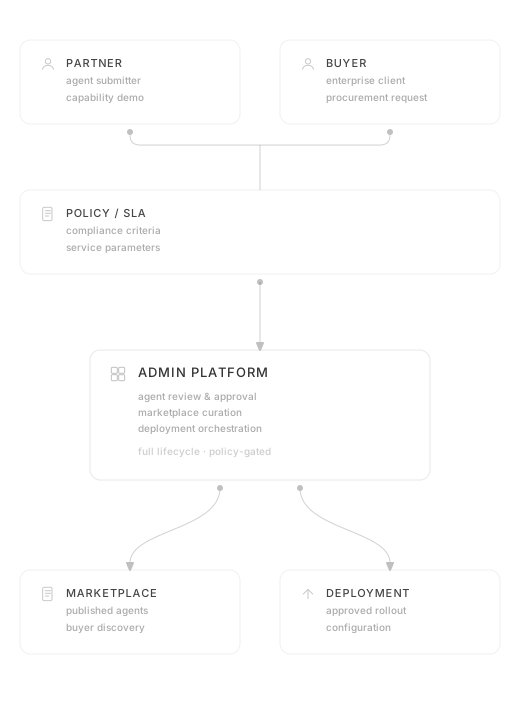
The client had just acquired a cluster of smaller AI companies in Saudi Arabia and wanted to build the first marketplace of its kind in the region: somewhere companies, government bodies, and individuals could buy and deploy AI agents into their workflows. Two sides, three work streams. Buyer experience, partner experience, and the admin layer behind all of it.
My role
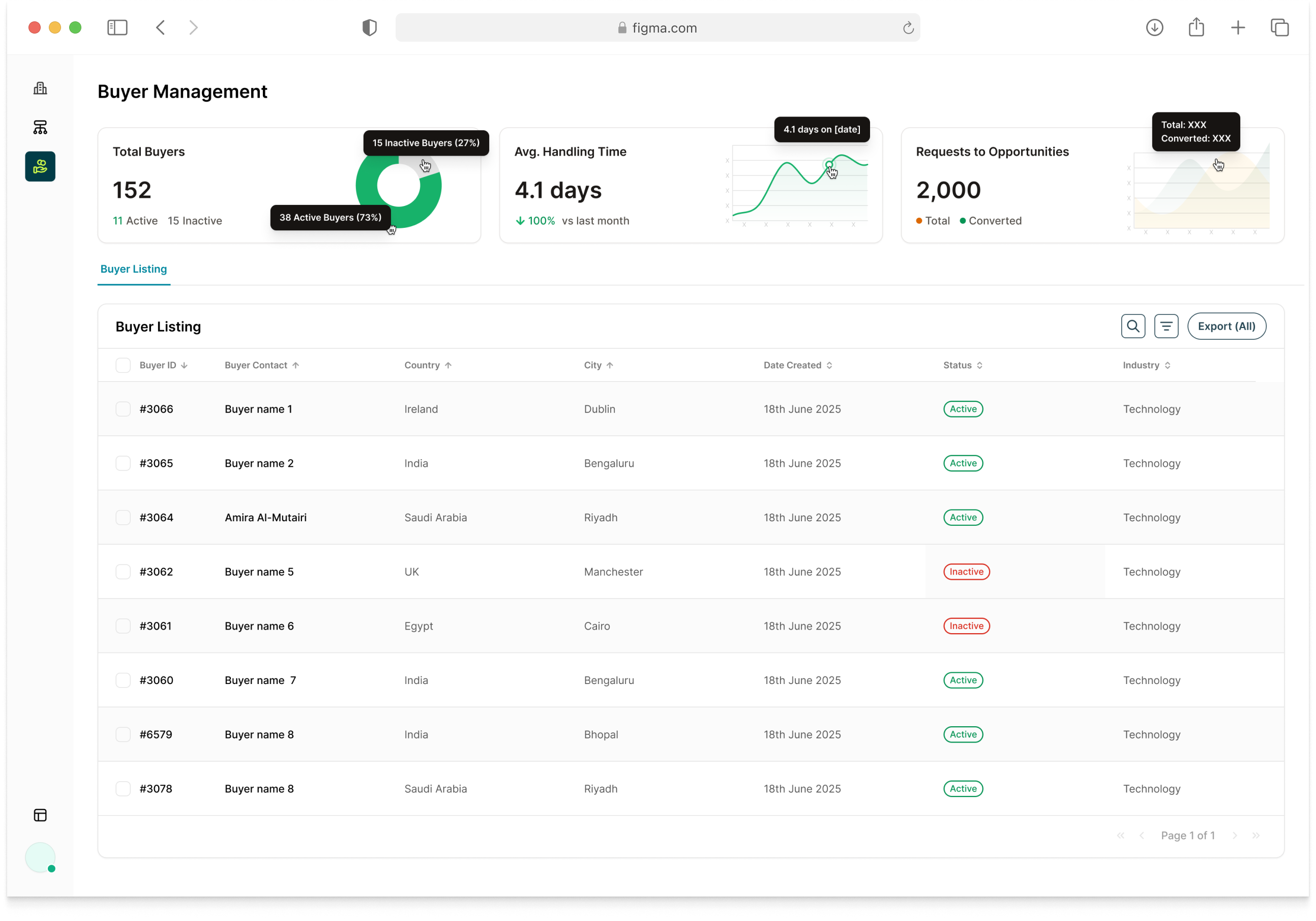
I came on mid-project, when most of the foundation was already in place. I picked up the admin stream first: agent assessment, partner management, buyer tickets and feedback. The partner stream wasn't in my brief, but the admin and partner sides were so intertwined that designing one without the other produced inconsistencies. I took it on. And I built the design system from scratch.
For the system, I worked token-first from day one: colour, spacing, and typography as Figma variables shared across all three streams, because three engineering teams working in parallel can't coordinate every change manually. Components built in layers: primitives first, then shared atoms (buttons, inputs, cards, data tables), then stream-specific templates. The handoff package included a component inventory, annotated specs per stream, and a usage guide written so the next designer or engineer could pick it up without asking anyone anything.
Process
The agent demo
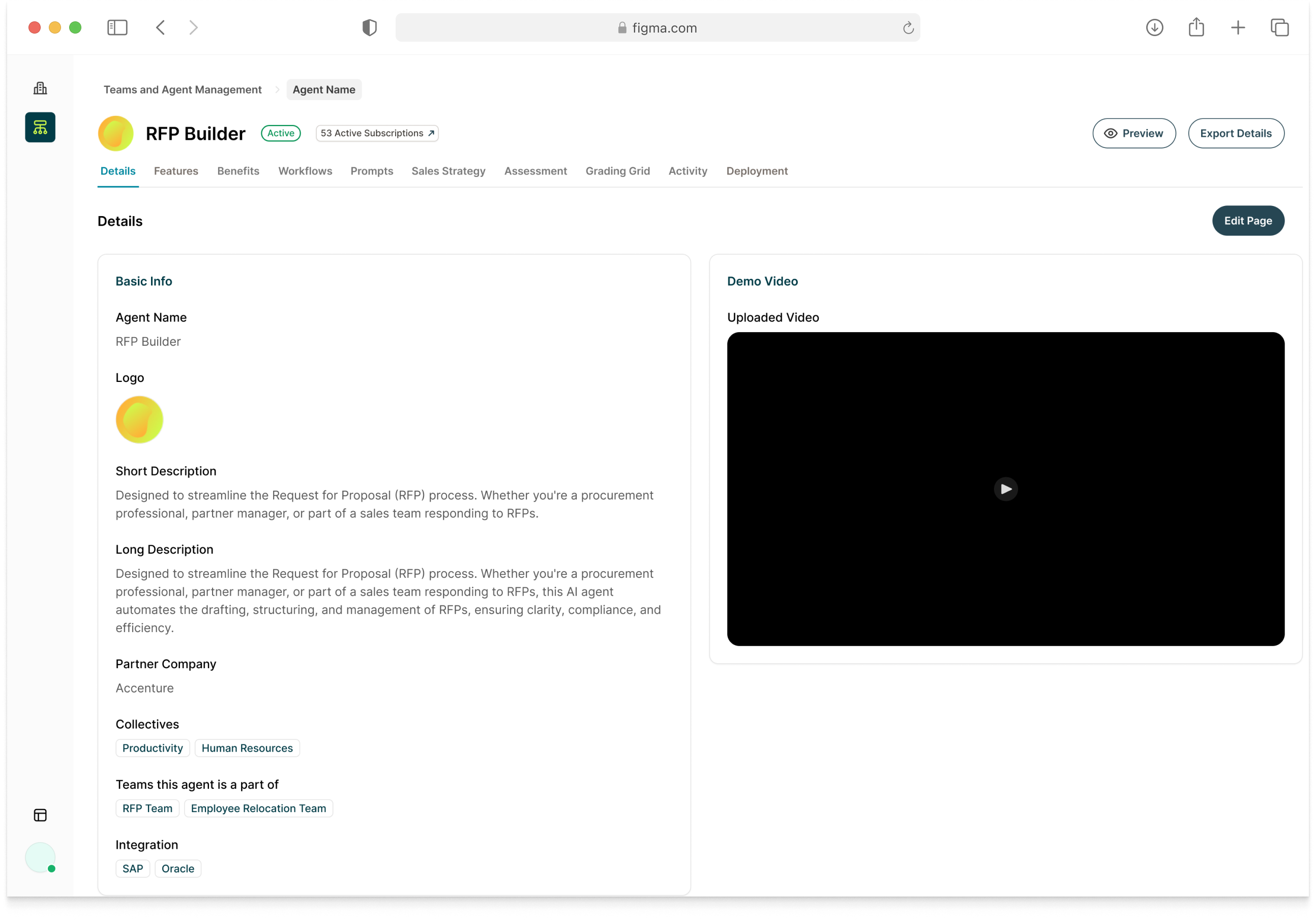
The agent demo step went through three directions. The product needed a way for the admin to review the agent working with the partner before it could be published. The first direction was a live video call inside the product, but tech couldn't build it. The fallback was fully offline: schedule by email, do the demo elsewhere, come back and mark it done. That worked technically and left nothing documented: no record of what was reviewed, no evidence to support the assessment later. The final direction was a hybrid: schedule externally, log the date inside the tool, and keep the product open during the call to answer a set of assessment questions in real time. The demo happens outside. The assessment happens inside.
Getting up to speed
The way I make sense of a project mid-flight is by jumping into the screens. Intro calls help. Standup helps more. Taking on tasks as fast as possible is what actually gives you a picture. The picture here: three PM teams not talking to each other, everything hardcoded, no AI anywhere in an AI marketplace.
AI gap analysis
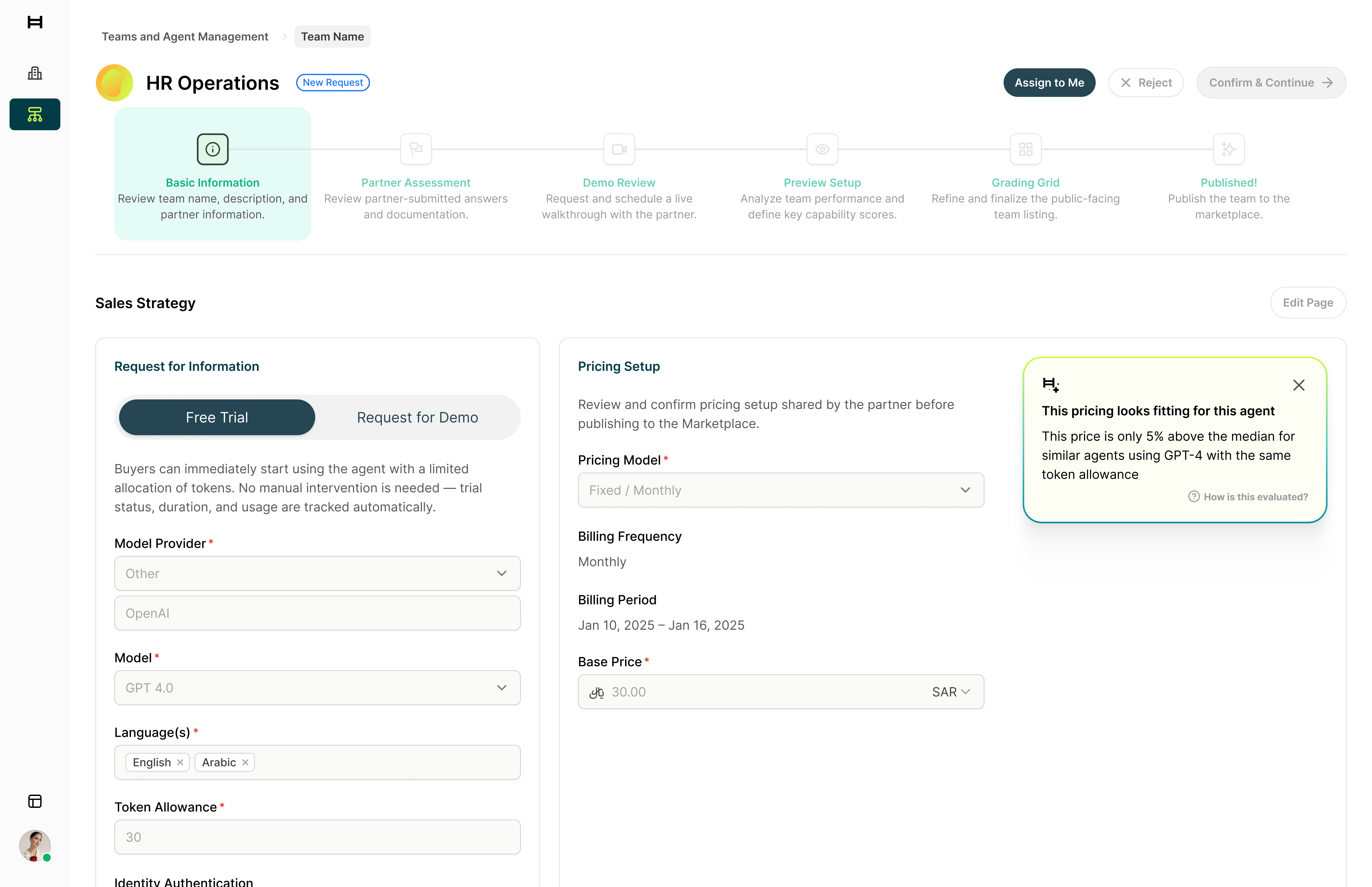
Near the end, I ran two workshops to name the irony directly. We called it out in the room first. Then asked where AI would actually change something rather than just add sparkle. Eleven ideas came out across four themes: automating the agent review and approval flow, surfacing partner engagement intelligence, flagging pricing anomalies, and making the admin searchable through natural language. I prioritised the strongest and built out ten screens as a future vision presentation covering three interaction patterns across the product: an AI Callout for contextual insights at decision points, like a confidence score surfaced mid-approval; a Command bar that let an admin ask "show me agents from Partner X with custom pricing" instead of stacking filters; and a persistent AI Chat on the buyer side. The client was excited about where it could go.
Outcome
The full product is done. The decision to stop came down to budget, and everything is there if they pick it back up. The client had already lined up a follow-on initiative (an AI Academy) before the budget situation. I'd been moved to another project by then. The gap analysis workshops surfaced AI integrations that would have changed the experience significantly: a smart spotlight search across the admin, AI-assisted agent assessment, and others the client was genuinely interested in pursuing.