How do you show AI thinking to someone who didn't sign up for AI, and still have them trust it?
Problem statement
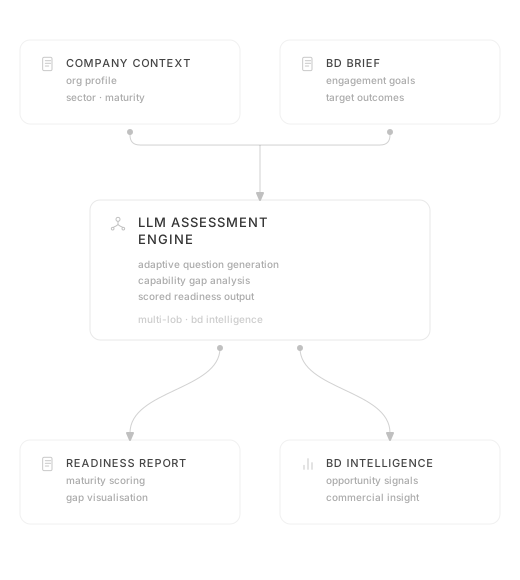
The brief came from a business development need: assess a company's AI readiness in a legal context before any engagement has started. The problem was that every company starts somewhere completely different. Some still run their contract management lifecycle with physical filing cabinets. Others have a full CLM system. Some are already agentic. Each of them needs a completely different conversation. The survey was what made that conversation possible.
My role
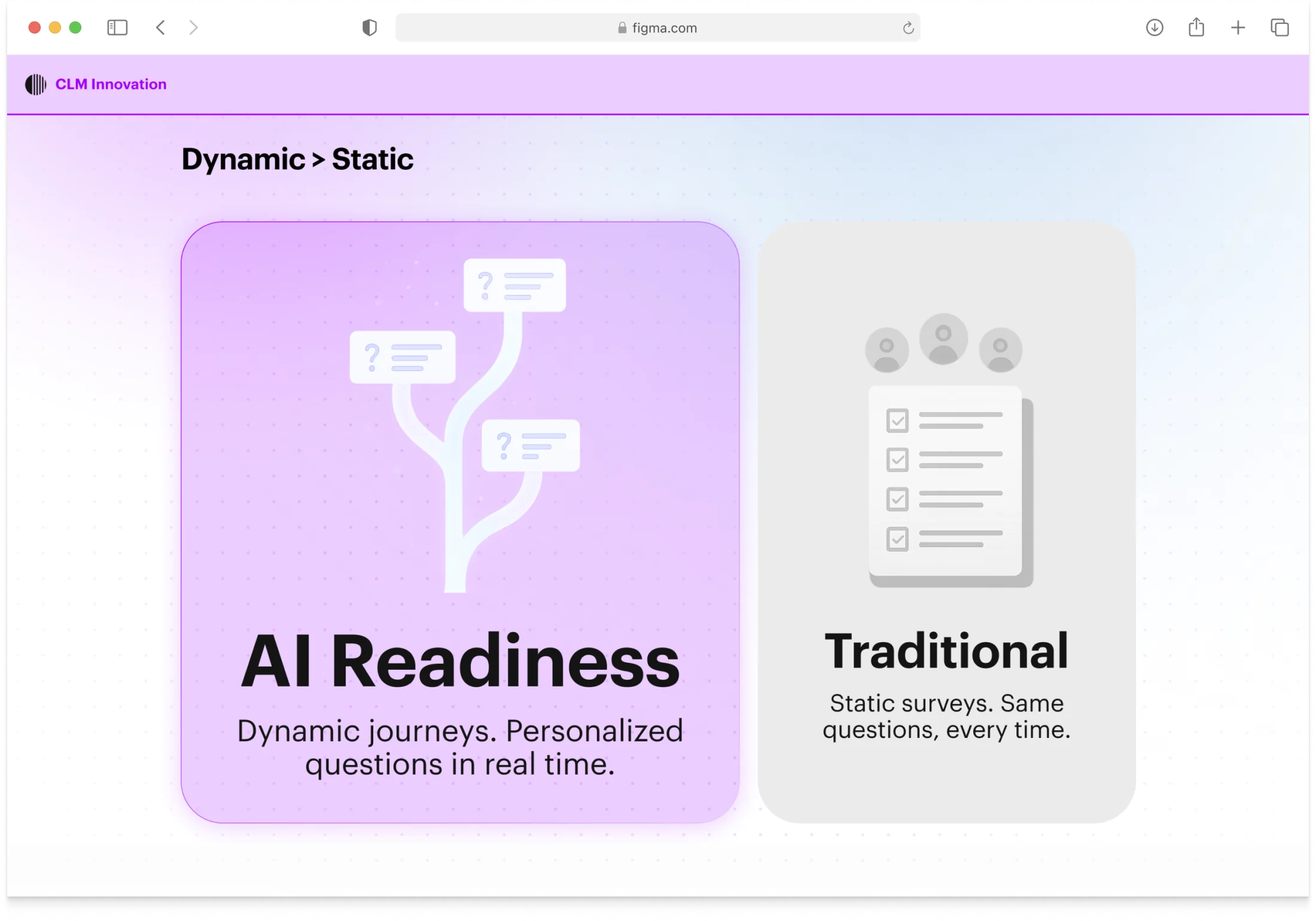
I designed the full experience end to end: the question architecture and adaptive branching logic, the conversational onboarding, the topic-based progress sidebar, and the chapter summary pattern, the moment that made the AI's reasoning reviewable. There was no existing template for a conversational survey that worked this way. The interaction model was built from first principles.
Process
Making reasoning visible
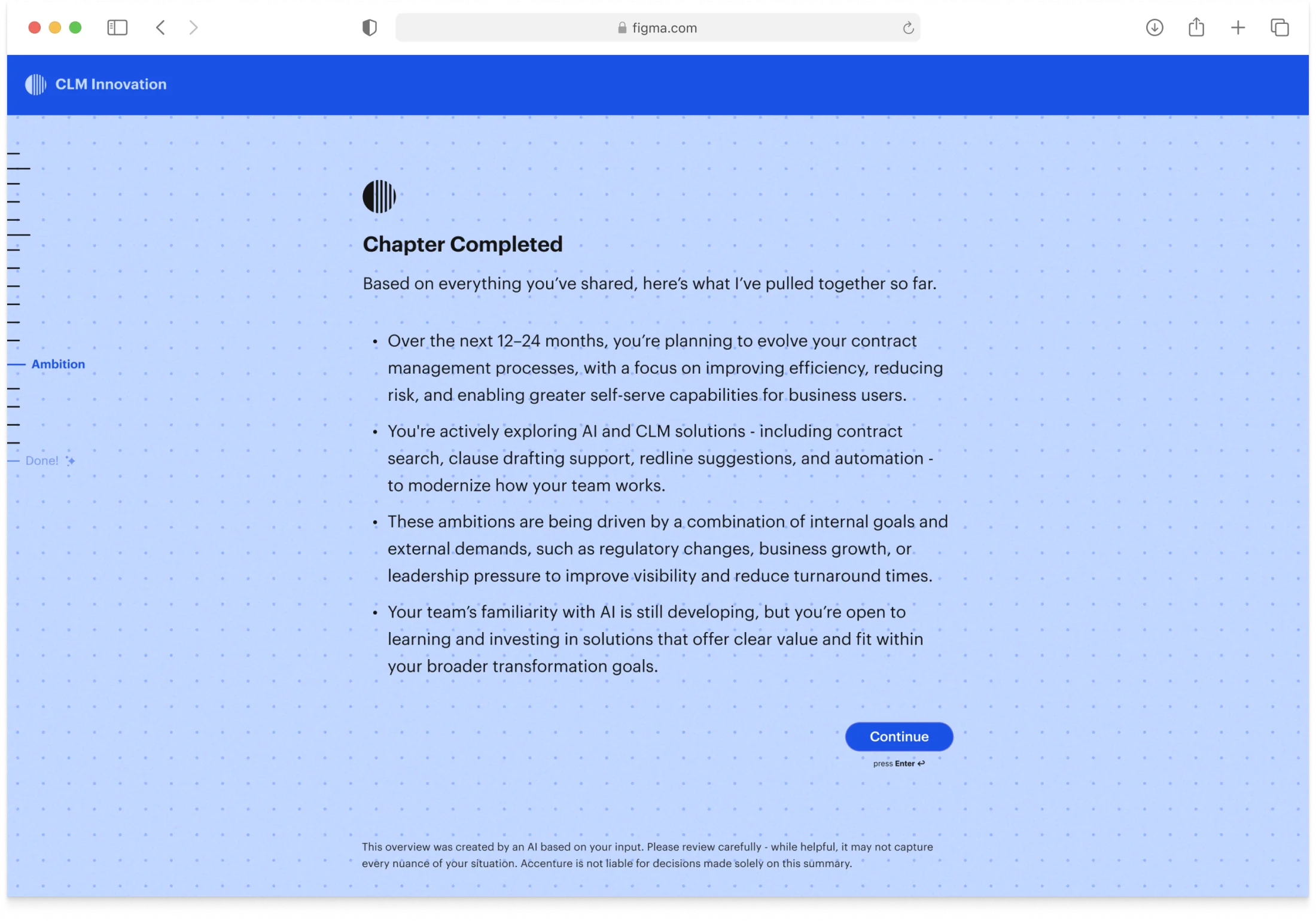
The LLM decides when an intent is satisfied and generates the next question from what the person has already said, so every session looks different. The hard design question was how to make that reasoning visible. I explored three approaches. First, an artefact that updated live after every question: too complex, too distracting. Then separate artefacts after each block: still too much. We landed on chapter summaries, the AI synthesising what it had learned before moving on. That rhythm worked. It turned the AI's logic into something reviewable, something you could look back at and understand.
Progress without a countdown
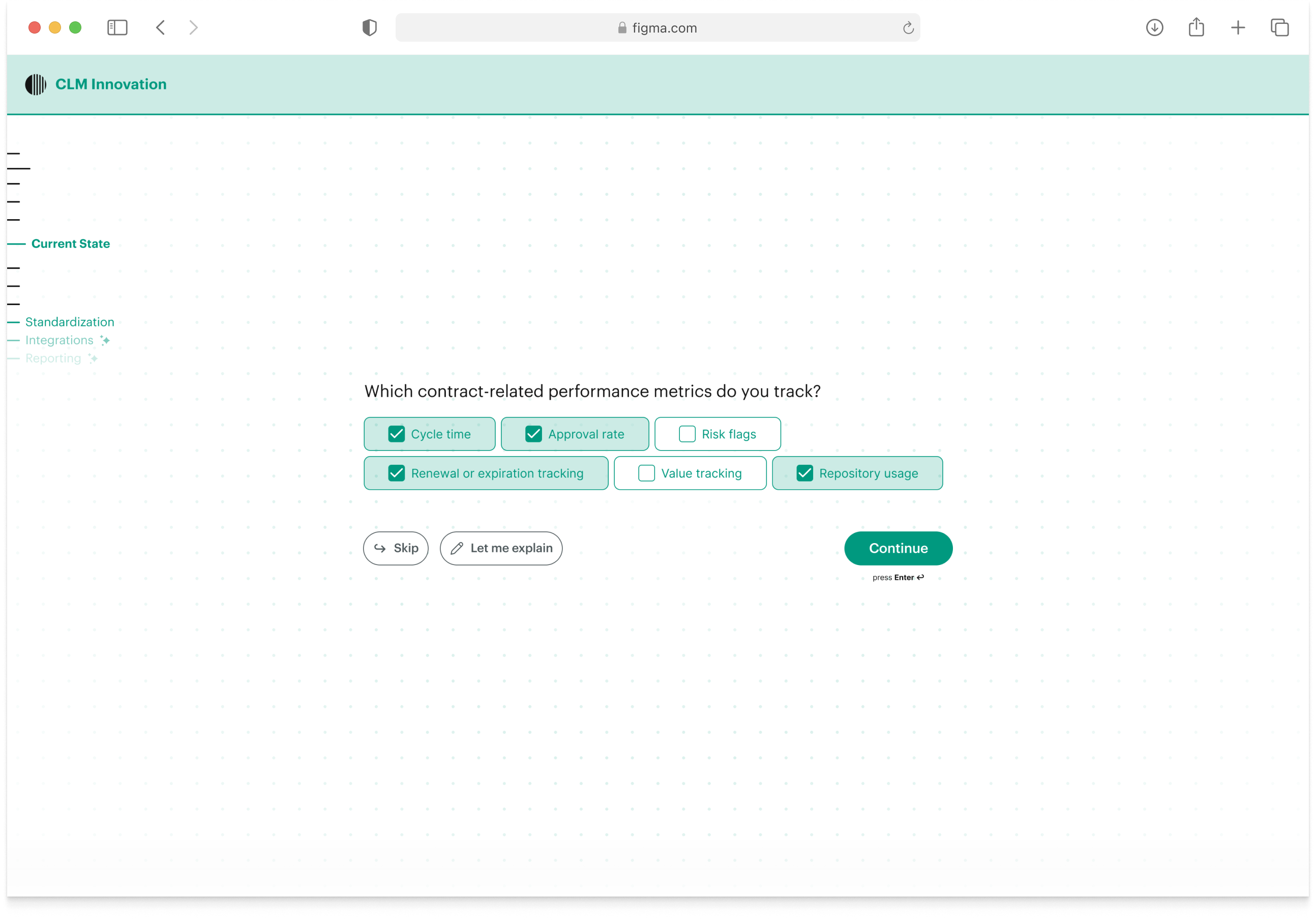
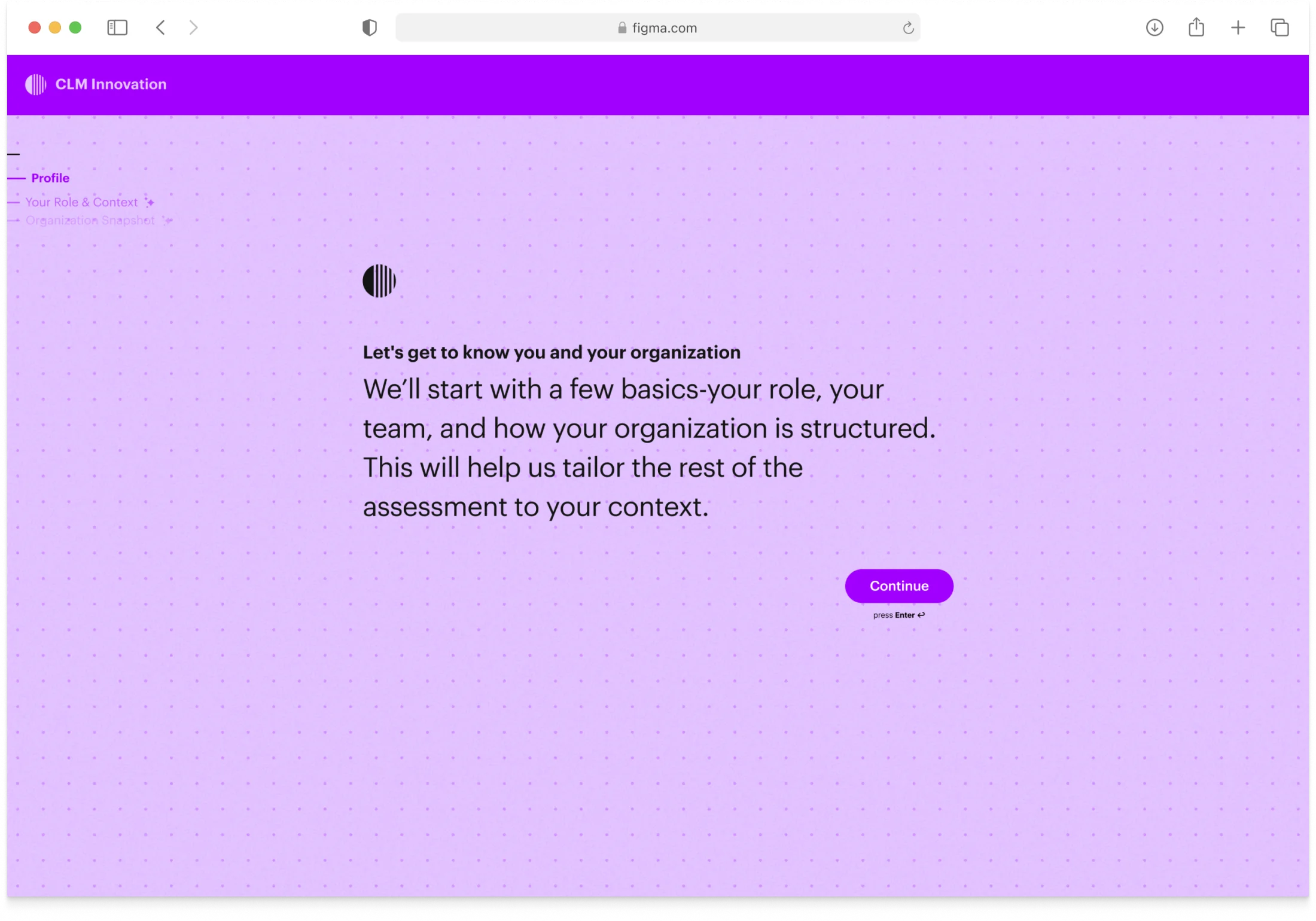
For progress, I designed a sidebar that showed topics rather than time. We had no idea how long any given session would take, because the LLM's routing depended entirely on what each person said. Topics appeared at low opacity and sharpened as you approached them. If an answer fed back into an earlier topic, that topic would be re-emphasised. The sidebar showed the shape of the conversation, not a countdown.
Designing for trust
The survey itself scrolled question by question, open and wide. More conversation than chat interface. The onboarding was detailed on purpose, but it took a revision to get there. The first version treated it like any other survey intro, with no mention that an AI was actively routing based on what you said. People would answer without knowing their session was being shaped in real time. That's a different trust problem than normal survey design. The final onboarding made the agentic nature explicit before the first question.
Concept testing
I ran two concept testing sessions with the legal team before building out the full flow. The conversational format was a real risk, since legal contexts tend to expect formal, structured input, not an adaptive conversation. The sessions confirmed it worked, which wasn't a given.
Outcome
What started as a business development tool became a repeatable platform, picked up by different teams for different purposes without rebuilding it each time. 518 completions across five campaigns. Before this, BD discovery relied on manual calls: variable in quality, time-intensive, hard to repeat across teams.